Well, as the topic is here I’ll use it to the bits, not only to praise and complain but to give some instruction on how to (I hope I can do that. If it’s annoying, let me know).
I’ve seen elswhere on the forum that some people have some difficulties with how to send PM (private message) so let’s work out this one for the beginning:
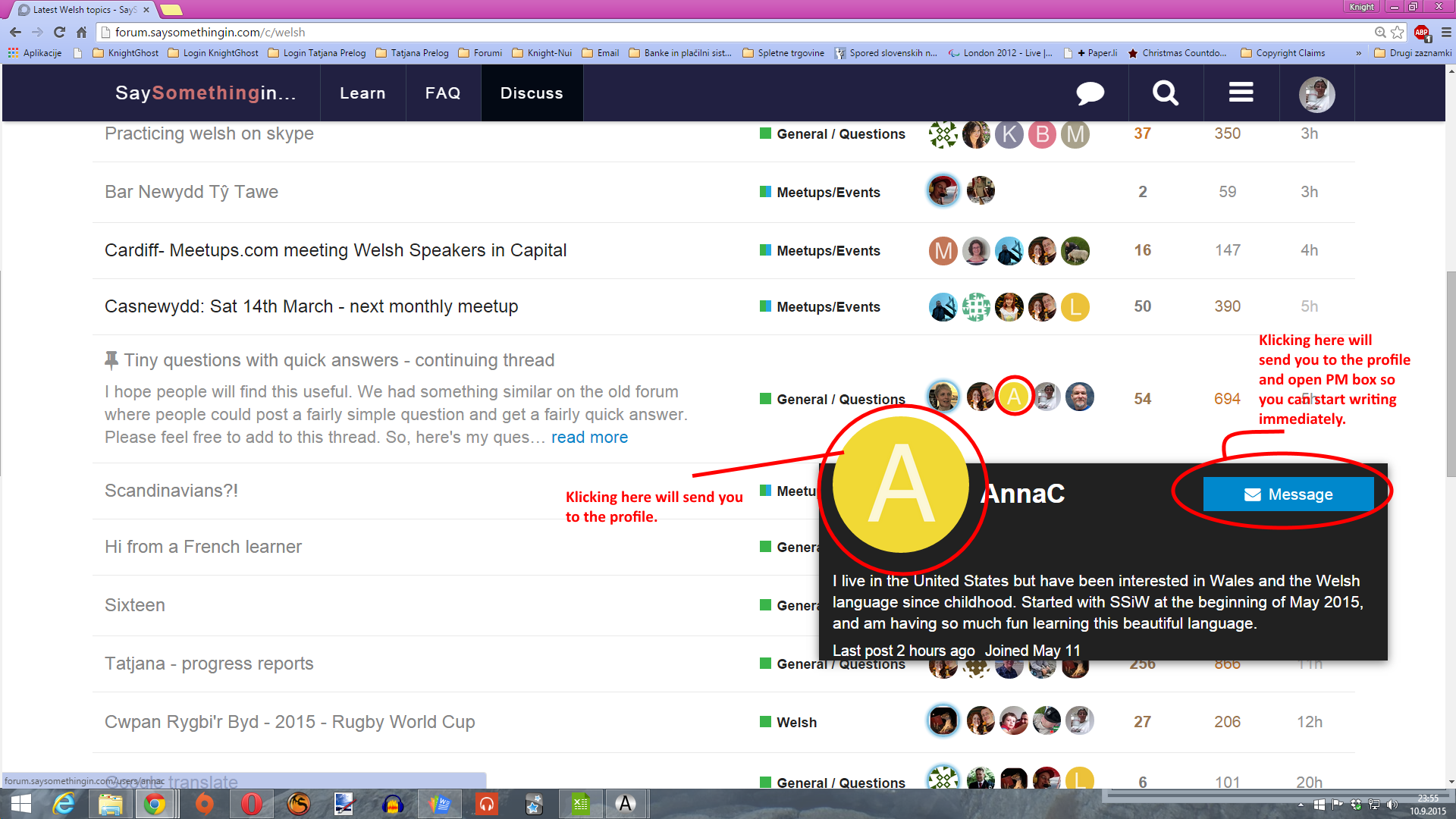
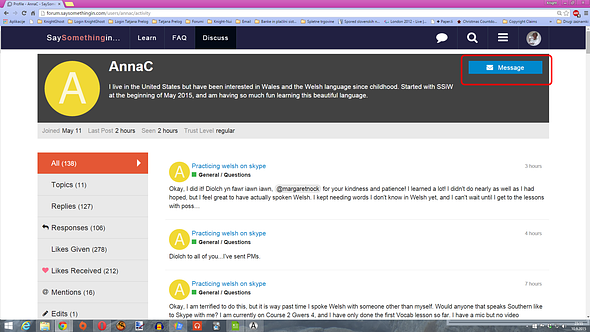
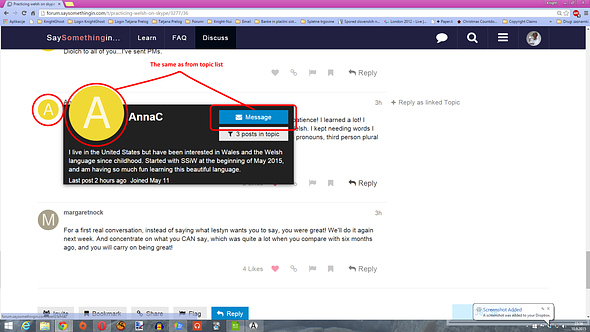
Let’s say I want to send PM to @AnnaC. You can either send it directly from where you have seen her (what means from the topic or list directly from her “icon” or you can go to her profile and send it from there.
From the list of topics
From the profile
From within any topic
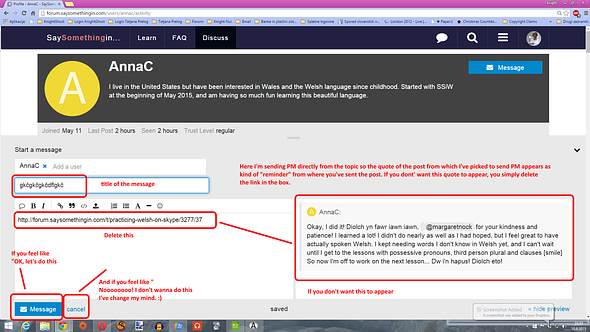
When you get the message box opened it’s easy: type the title of the message and text, hit send button and you’re done. However if you are sending the PM (what means the first message is yours) double check the written because you will not be able to edit it once sent. and more importantly this said is only valid for the first message in a row. All replies are editable by the person who sent them. Also such (first PM (original post)) can’t be deleted aswell.
One more note, If you sent PM directly from the topic, the link to that particular topic will be provided in a post as a quote. If you don’t want it to appear, you can simply delete that link and - UALLA - the quote disappears aswell.
Some screenshots:

And at the end as I very often am missunderstood: Please, note that I created this post in order to help those who might not be too familiar with how to use this feature of the forum and I by any means don’t want to make anyone feel stupid or patronized.
Happy PMing. 
EDIT for the bit of addition here
I knew, but I just kind of wasn’t aware earlier about this:
When you write and send a message you might want to be a bit sorry you didn’t send it to someone else and not just one person instead of sending 5 separate exactly the same messages. To avoid sending several same messages to different people (if it’s not a whispering secret and they mustn’t know for one another to get it - hehe - ) you can add people to the conversation (that’s how messages are officially called on discourse) later on when you already snet message out.
I’ll use my New year’s message to demonstrate it (one will get it additionally as good wishes are never too many).
- Go to the original post of the PM. Beneath the post you’ll see the statistics thingy like who is the “member of the conversation”, how many times the post was viewed, how many replies it has got and who replied … Beneath that statistics you will find button “Invite others”
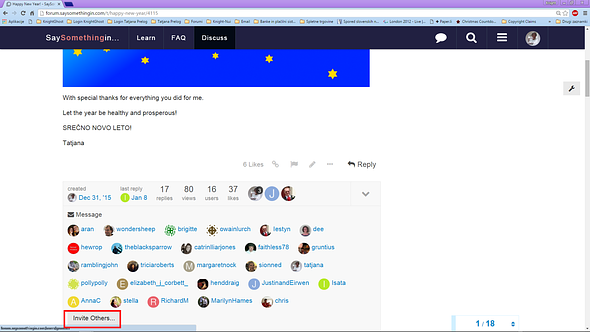
- Click the button and the floating window appears where you can add whoever you want to the “talking mix”.
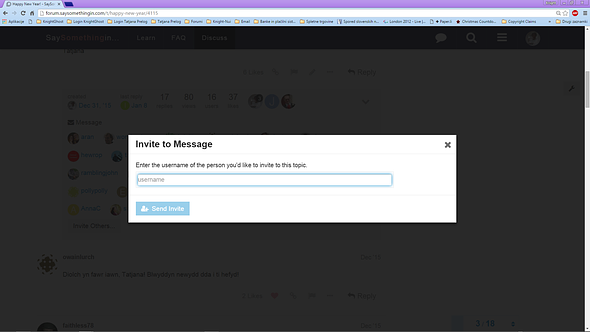
- According to your typing the names of members appear on the screen and you can just choose from them if the one you search for is there.

- When you click it the name appears in the row.
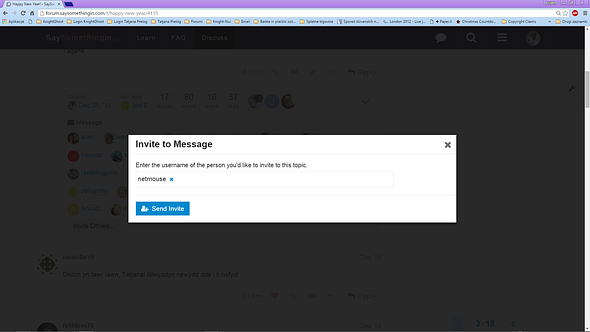
-
All you have to do now is clicking on the tab “Send Invite” and the person is added among receivers of the message. If the person is not the right one, you can delete it before clicking the button with the X sign besides their name. This way you can invite more persons at once.
-
When clicking the button “Send Invite” the thing is done and you get the message on the screen which lets you know the invite was sent and person was added to the conversation and you can only click button “Close” to that.
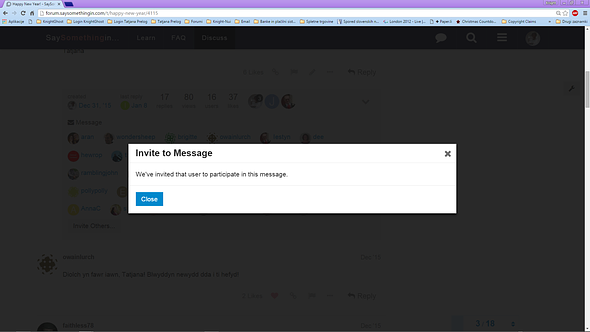
As you see on the picture, @netmouse just got the prety New Year’s message.
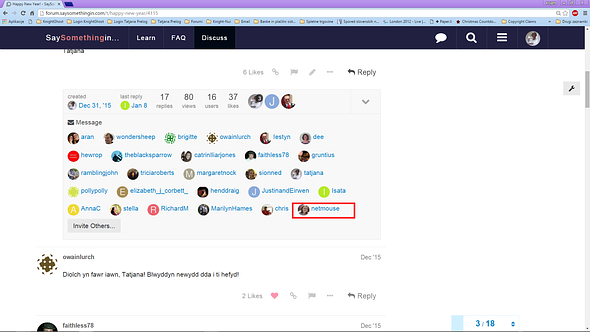
I hope you don’t mind @netmouse as it passed already half a month of the start of the new year.
However, when you invite people to the conversation, you can not put them out anymore so choose carefully who you add additionally.
You can do this not only with PMs, you’ve sent, but also with those the other people have sent to you so CAUTION needed.
And, just for the record … you can invite people not only to the PM conversation but also to any public topic on this forum, no matter who started it but in this case the button “Invite” is at the very bottom of it.
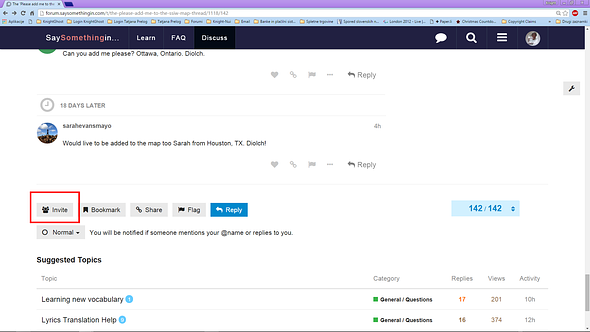
From there on, the procedure is exactly the same.
Happy posting again!